Starter
For a first test batch.
$19/month
Subscription preview with automatic renewal.
- 180 credits each month
- ≈ 15 short Draft videos a month
- Actual video count varies with length and quality.
Create AI UGC from a product link or a manual brief. Review the facts and hook, choose a synthetic presenter and check the quote before rendering a vertical video.Create AI UGC from your product facts. Review the words, choose an actor and render a 9:16 video.
 @aiugc.real
 @dre.unboxes
AI UGC is creator-style video made with synthetic presenters rather than first-hand customer recordings. AI UGC Generator turns verified product facts into 10s or 15s vertical 9:16 videos. Draft requests 480p and Standard requests 720p; actual output dimensions can vary. Review the script and output before publishing. A synthetic presenter cannot provide a real customer testimonial.
 @yuna.daily
 @kai.lifts@aiugc.real
 @goldie.and.me
 @mateo.fits
Real output and example styles. Text is decorative.REAL RENDER labels an AI UGC output. Other cards are illustrative styles. Highlighted text is decorative.
Use AI UGC to turn product facts into your next offer video.Product facts in, video out.
See ecommerce → @tasha.mixes
AI UGC can introduce an app feature; use a separate recording to demonstrate the actual interaction.A creator-style introduction to your app’s real features.
See app promotion →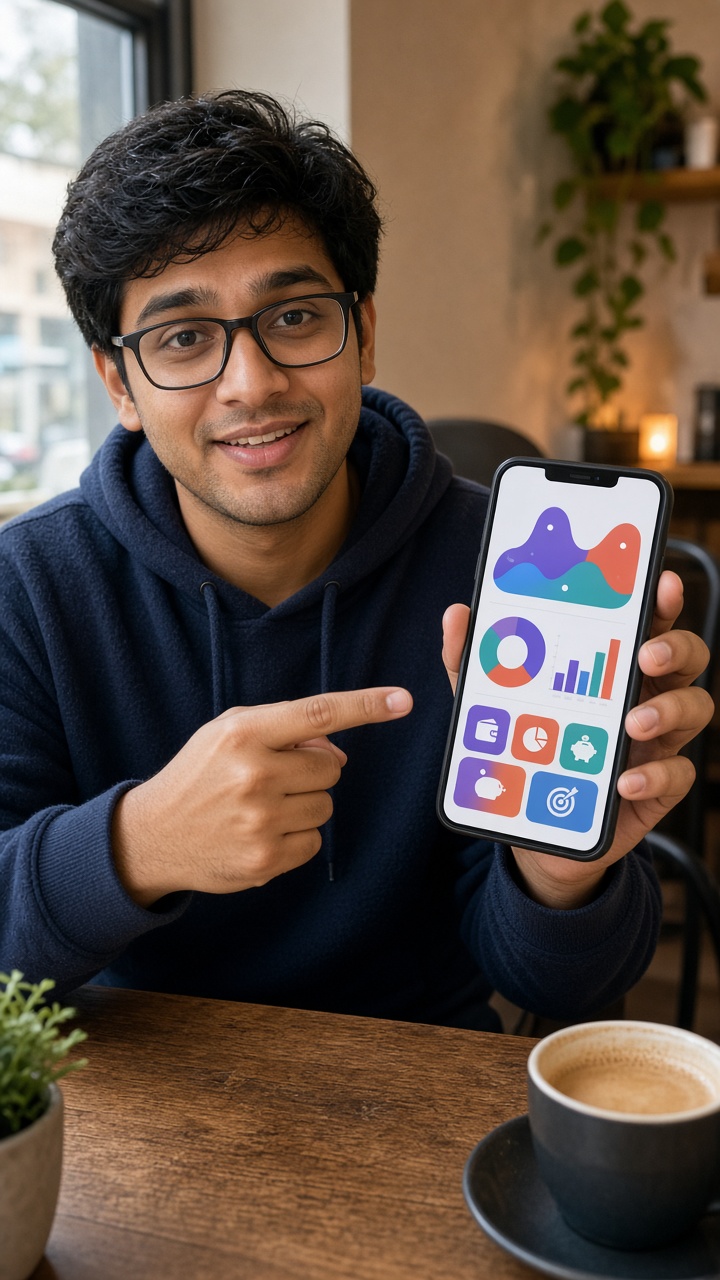 @dev.saves
Use the free writing tools to compare AI UGC openings before spending video credits. Explain a verified product feature or one useful app interaction; record actual screen footage separately. Open the AI product video generator or app promo video maker for the relevant feature brief. For scene and actor direction, draft arender prompt before production.
Import available product details, then review the name, price and benefits.Read and review product facts.
Edit your hooks. Choose an available actor or upload your own look.Pick your hook and actor.
Review the complete credit quote, then render and download your MP4.Review credits and download MP4.
Use AI UGC to answer one creative question at a time. Pair two reviewed openings with two presenters to plan ≈ four variants. Keep the body, CTA and destination fixed when comparing hooks; keep the words fixed when comparing presenters. Video counts supported by a credit balance vary with duration and quality. Check the quote before rendering the selected pairings.
Before an AI UGC test, write down what a buyer needs to understand. Separate a feature question from an offer question so each opening has a clear purpose. Keep the source page or approved brief beside the script; revise the copy when the product or offer changes.
Label files by hook, actor and version in your worksheet. Compare the variants in your own campaign account, recording audience, placement and evaluation window. Review purchases or installs alongside attention signals. The workspace does not run campaigns or predict a winner. For a structured comparison, follow the creative testing workflow.
With AI UGC, you can revise the spoken message without scheduling another presenter shoot. You still need time to verify the facts, inspect delivery and edit the final creative. A human creator can handle the actual product and describe a genuine experience. Choose that route when first-hand evidence or a physical demonstration is central to the message.
Compare AI UGC and creator production against the same brief, including footage, editing and usage permissions. Commission real demonstrations separately. A synthetic presenter cannot supply proof of results, and neither route guarantees campaign performance.
| Task | AI UGC presenter | Human creator |
|---|---|---|
| Explain supplied facts | Review an editable script and generated delivery | Agree a brief and review the recording |
| Show physical experience | Supply real demonstrations separately | Commission an actual hands-on recording |
| Revise the message | Correct the source before another render | Agree revisions and recording scope |
Download completed AI UGC clips as vertical 9:16 MP4 files. Select 10s or 15s; Draft requests 480p and Standard requests 720p. Actual output dimensions can vary. Check speech, framing and the complete CTA. Add captions or other footage in your editor, and save files within the workspace’s stated retention period.
Review an AI UGC clip twice: first listen to the spoken message, then watch it beside the product facts. Check that a visual gesture does not imply an unsupported demonstration. For app content, use your own current screen recording to show the interaction; the presenter clip cannot verify how a feature behaves.
Keep the approved AI UGC script with the exported file and record what changed between versions. If a name or offer is wrong, correct the source before generating another version. This review record helps you choose the next revision without confusing it with the earlier test.
Keep AI UGC presenters identifiable as synthetic. Do not frame them as real buyers, invent personal results or use an unauthorized likeness. Check each claim against the product and review the destination’s disclosure requirements before posting. Safety checks do not establish consent or ownership. Read the AI Content Policy for content restrictions and reporting, and keep the job identifier with any issue you report.
When choosing an AI UGC platform, compare the review steps and output you need. Our Arcads alternative comparison sets out the production boundaries. Use AI UGC tools to prepare a factual message, and read the UGC advertising guide to distinguish a presenter introduction from a genuine customer story. The product video format guide helps you choose the source material for your next brief. Read what a creator does when your message needs a human production partner.
Video rendering requires credits. Registration does not include free video credits. Costs vary with duration and quality. The subscription previews include automatic renewal and monthly credit grants.
For a first test batch.
Subscription preview with automatic renewal.
Best for a month of hook × actor tests.
Subscription preview with automatic renewal.
For high-volume testing.
Subscription preview with automatic renewal.
Compare Monthly, Quarterly and Yearly billing and one-time credit packs →
AI UGC uses credit quotes. Standard requires paid credits; actual output dimensions can vary. Check the quote before rendering.
Review the workflow before creating your first clip.
AI UGC is creator-style video made with synthetic presenters rather than first-hand customer recordings. The workspace turns verified product facts into 10s or 15s vertical 9:16 videos. Draft requests 480p and Standard requests 720p; actual output dimensions can vary. Review the script and output before publishing. A synthetic presenter cannot provide a real customer testimonial.
AI UGC meaning depends on the source of the presenter: the person on screen is synthetic, rather than a customer recording an experience. Use AI UGC content to explain verified facts; keep genuine reviews and demonstrations separate.
Registration does not include free video credits. Video rendering requires credits from a pack or subscription. The script and hook tools are free within their usage limits. Check the quote before rendering.
There is no blanket answer for every use or jurisdiction. AI UGC needs authorized likenesses, accurate claims and appropriate disclosures. Our AI Content Policy prohibits fake testimonials and unauthorized impersonation. Review the destination’s rules and relevant requirements for your intended publication.
AI UGC supplies synthetic presenter footage. Record physical demonstrations or app screens separately when your message needs them. The workspace does not record your screen, assemble outside footage or publish your campaign.
Yes. Enter the product name, supported features and current offer manually. Correct incomplete metadata before generating copy, and review every AI UGC claim against your own source facts.
Choose a 10s or 15s vertical 9:16 video. Draft requests 480p; Standard requests 720p and requires paid credits. Actual dimensions can vary. Download completed AI UGC MP4 files and review speech and framing before publishing.
Yes. Choose an available actor or sign in and upload a supported portrait you have permission to use. Your own look is selectable only by you. Review the AI UGC likeness; safety checks do not establish consent or ownership.
Use AI UGC to turn verified product facts into your next creative.
 @mila.skin@goldie.and.me